Cause and Solution to client's receiving a spinning wheel when attempting to use their account activation link.
Client's sometimes report a spinning wheel when attempting to use their account activation link:

Usually this is caused by the account not being in the activated status (Middle status in the below screenshot):

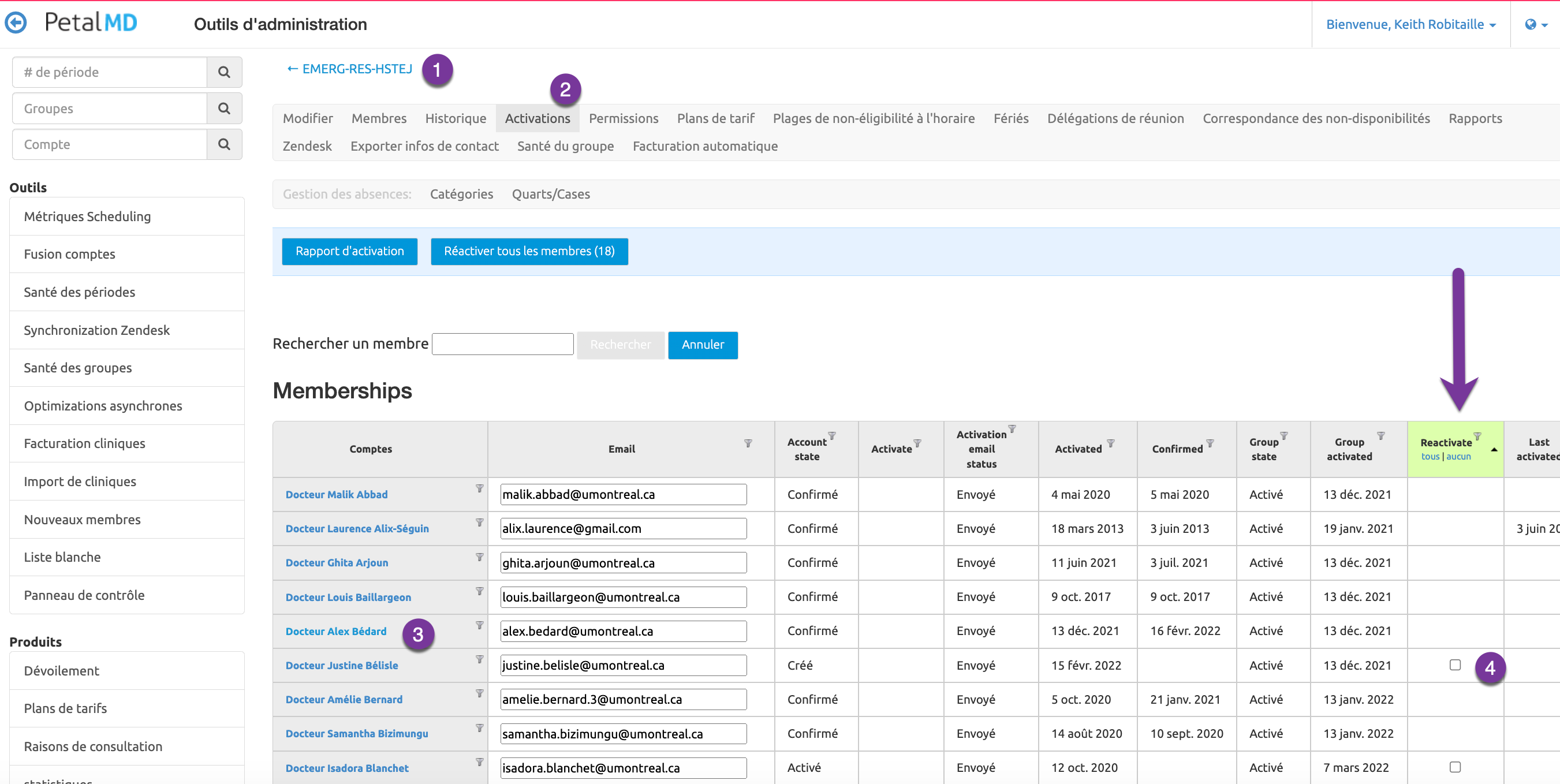
To resolve this issue, we we will need to put the client's account in an activated status. The steps to complete this are:
- Go to the group
- Click Activations tab
- Locate the member
- Click Reactivate check box
- Click Update
Once completed the client status will look like this and their activation link should now work as expected:
